
Get started with Novu for Agents
Create your first agent and connect it to Slack in under 10 minutes.
This guide covers creating a custom code agent in the dashboard, hooking up Slack, scaffolding the bridge app, and getting a reply in-thread.
By the end, you'll have a working agent that receives messages from Slack and replies based on your handler code.
Prerequisites:
- A Novu account.
- A Slack workspace where you can install apps.
- Node.js on your machine.
Create your agent
- Go to the Novu dashboard.
- In the sidebar, click Agents.
- Click Create agent.
- Fill in the required fields:
- Agent name: Display name for your agent.
- Identifier: Unique slug used in code. Cannot be changed after creation.
- Description: Optional.
- Click Set up agent.
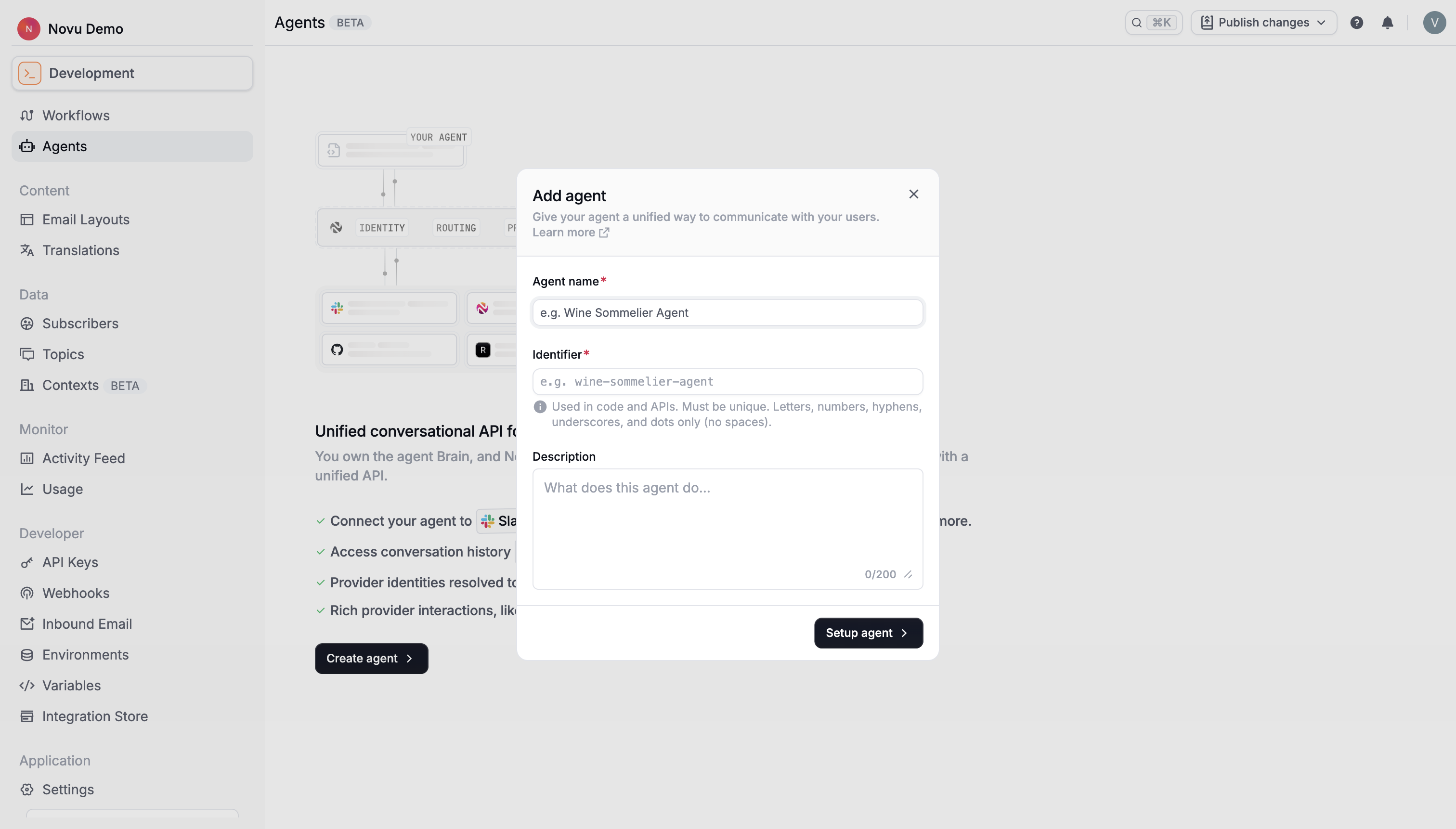
Novu opens the guided setup page after creation.
Select a provider
- On the setup page, open Select provider.
- Select Slack.
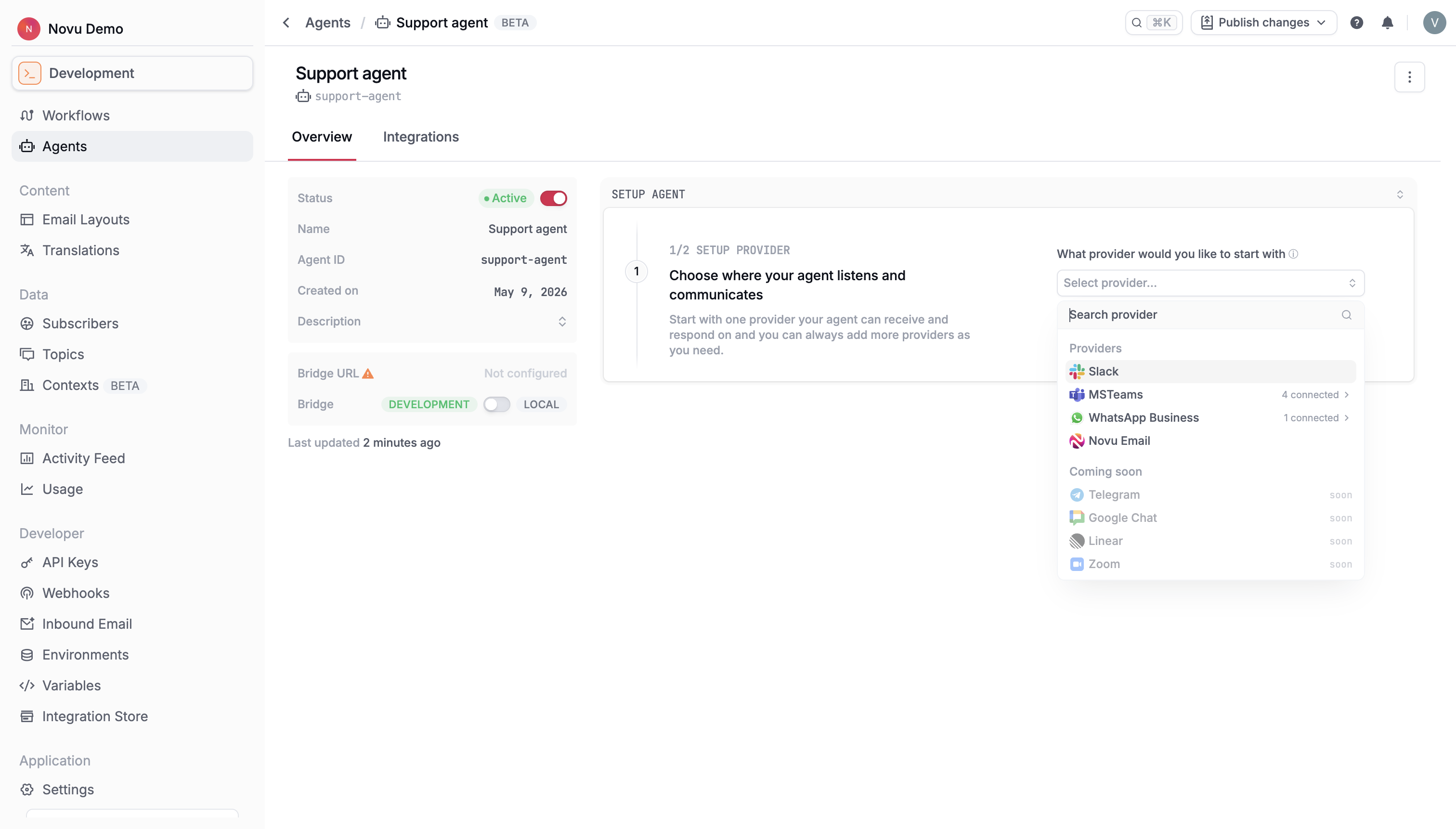
The dashboard unlocks the Slack setup steps.
Create a Slack app
Novu can create the Slack app using a Slack App Configuration Token.
- Click Slack App Configuration Token to open Slack API apps.
- Under Your App Configuration Tokens, click Generate Token.
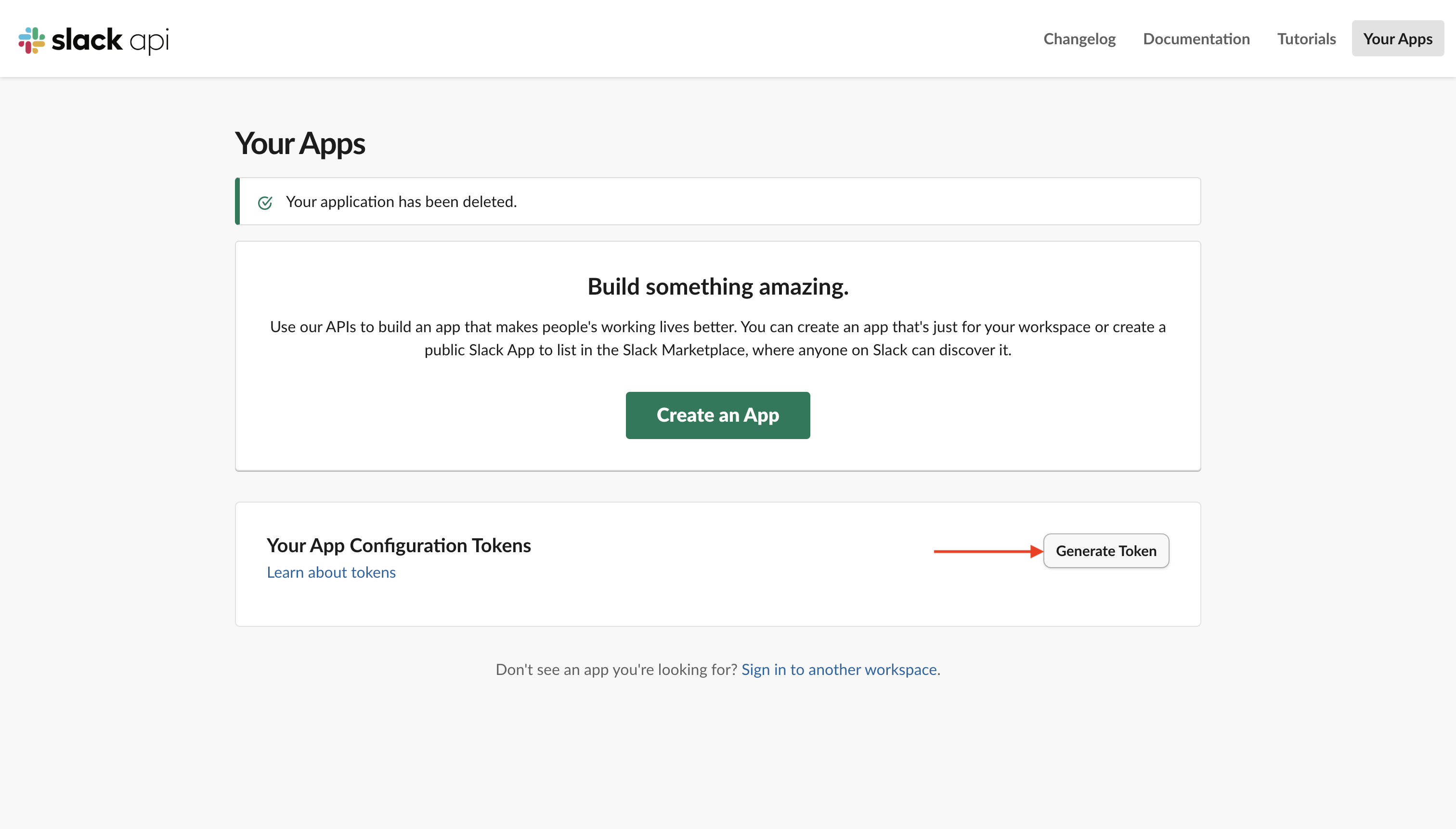
- Select your workspace and click Generate.
- Copy the token.
- In Novu, paste the token and click Create app.
The configuration token is used once to create your Slack app and is not stored by Novu.
Install the app in your workspace
- Click Install agent (the label may include your agent name, for example Install My Agent).
- Review permissions in Slack and click Allow.
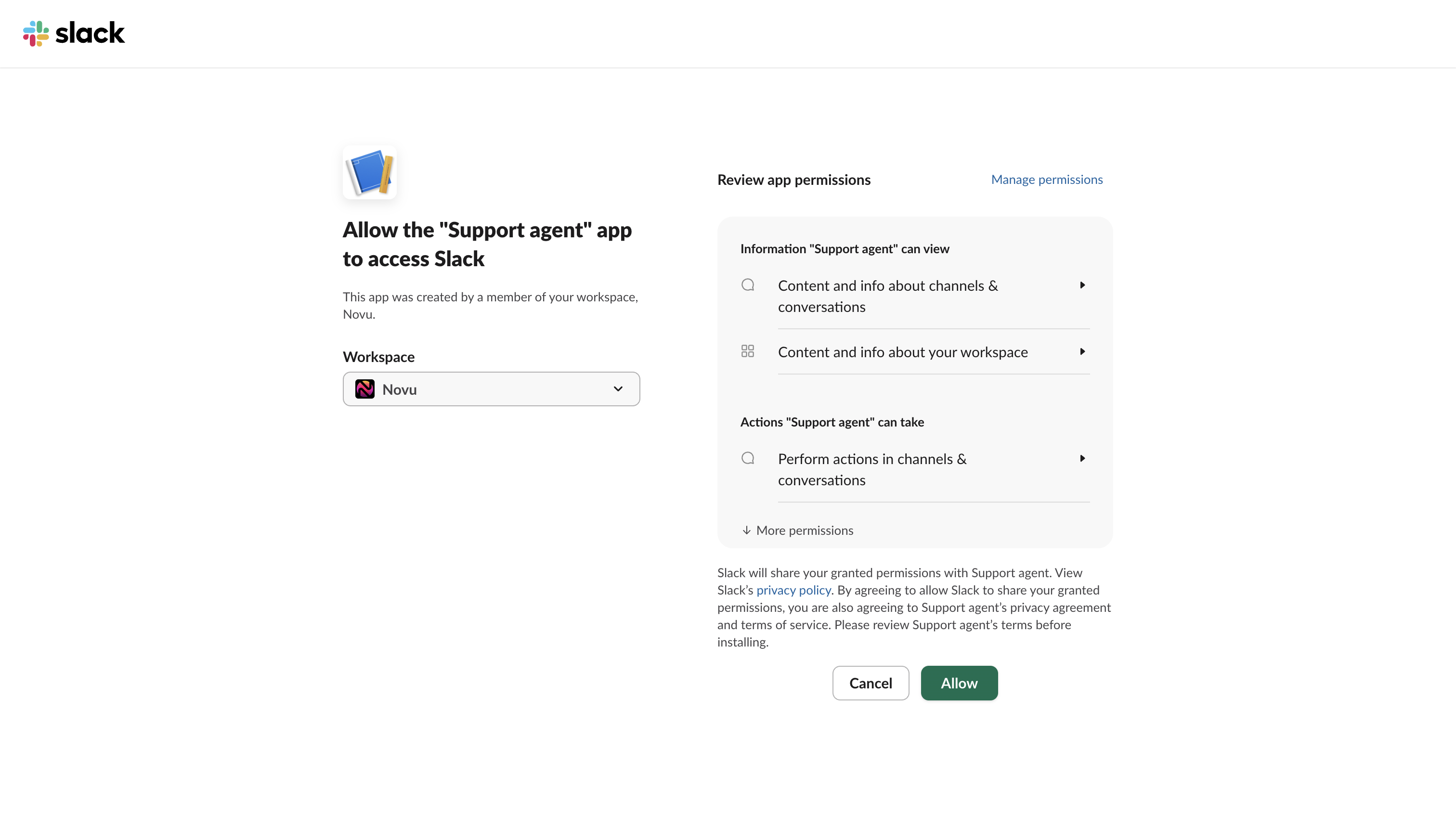
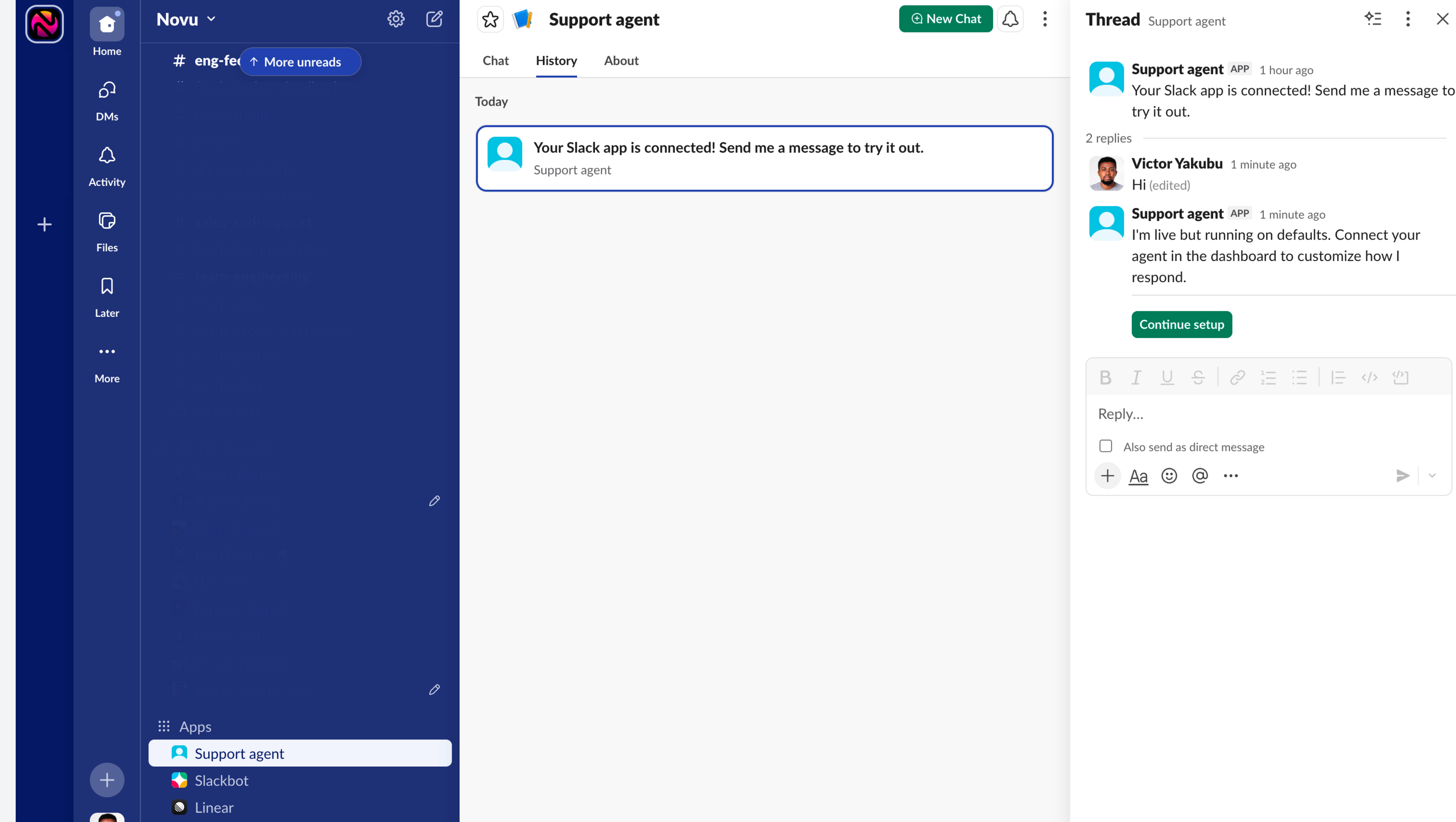
You'll receive a welcome message from the agent when installation completes.
Scaffold your agent project
Copy the scaffold command from the dashboard:
Run it in the directory where you want the project. See Scaffold your project for details.
Start your agent locally
This starts your app, opens a dev tunnel, and registers the bridge URL. When connected, you'll see another message from your agent in Slack.
Send a message
Message your bot in Slack. Your onMessage handler runs and the reply appears in the thread.
Edit files in app/novu/agents/ to customize behavior. See Handle events for all event types.